

Get started in 3 steps
It only takes a couple of minutes to set up your account.
-
1
Download & sign up
Install LB Automaid from Google Play, tap Sign up, and enter your name, email, mobile number and a password.
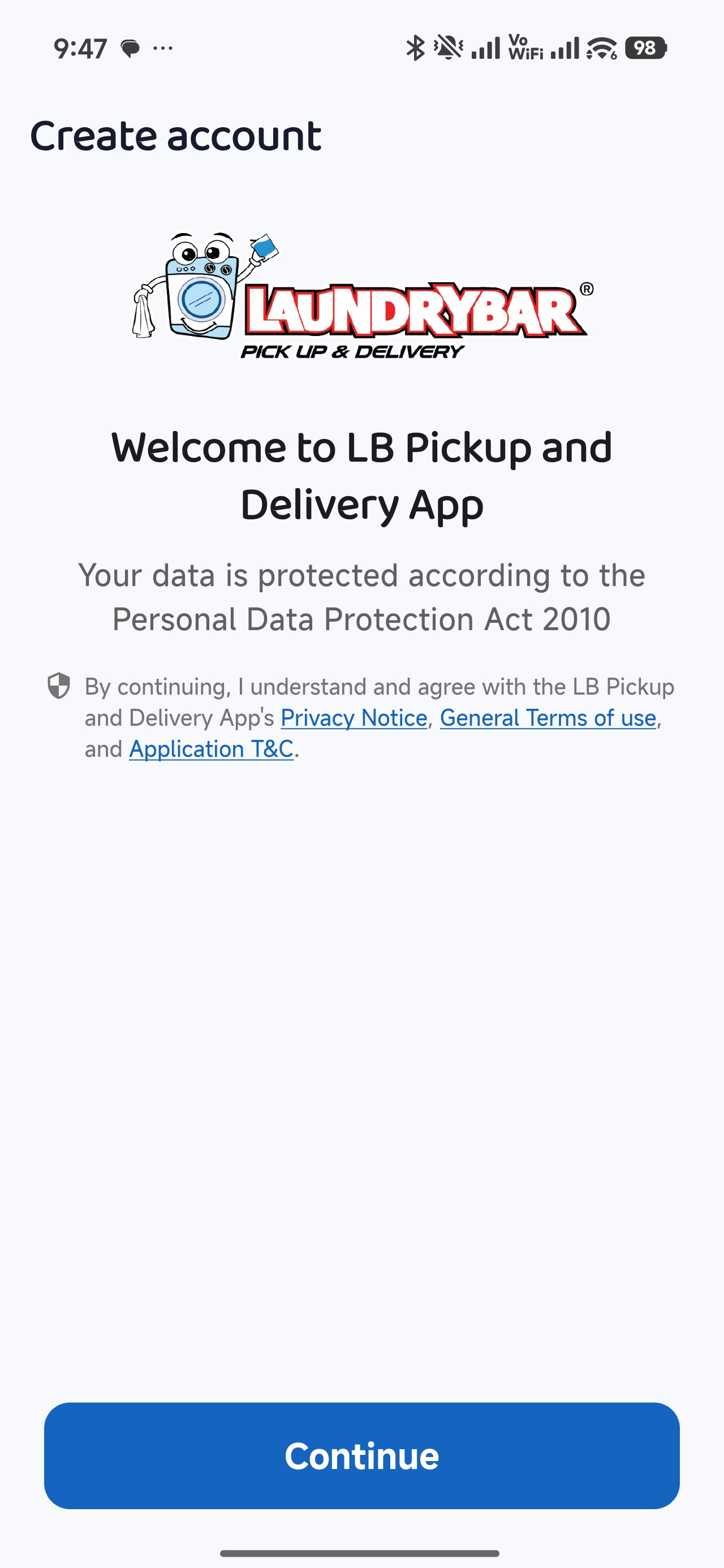 Sign up screen
 -
2
Verify your number
We send a 6-digit code by SMS. Enter it to activate your account.
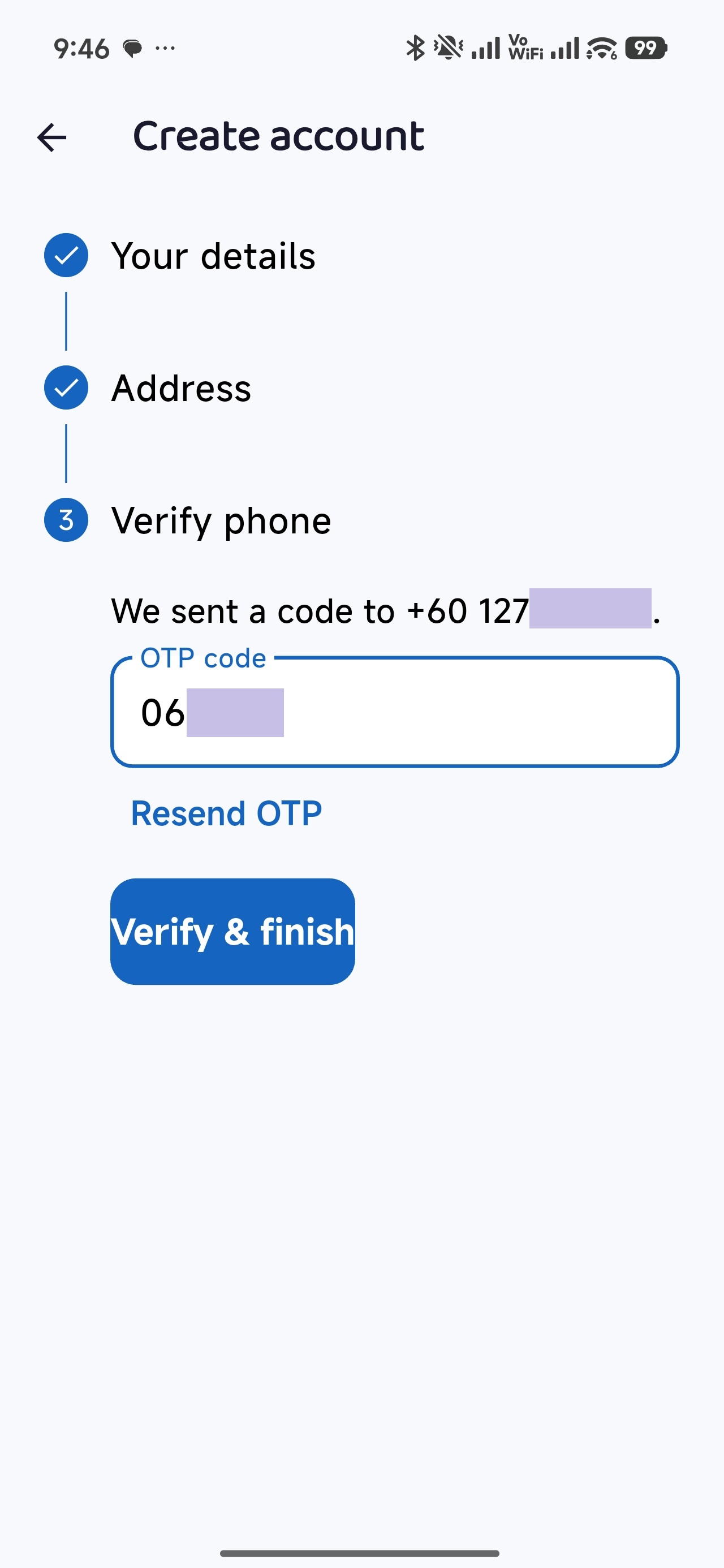 SMS code screen
 -
3
Add your address
Enter your pickup address and confirm the pin on the map, so our rider finds you easily. You can save more than one address.
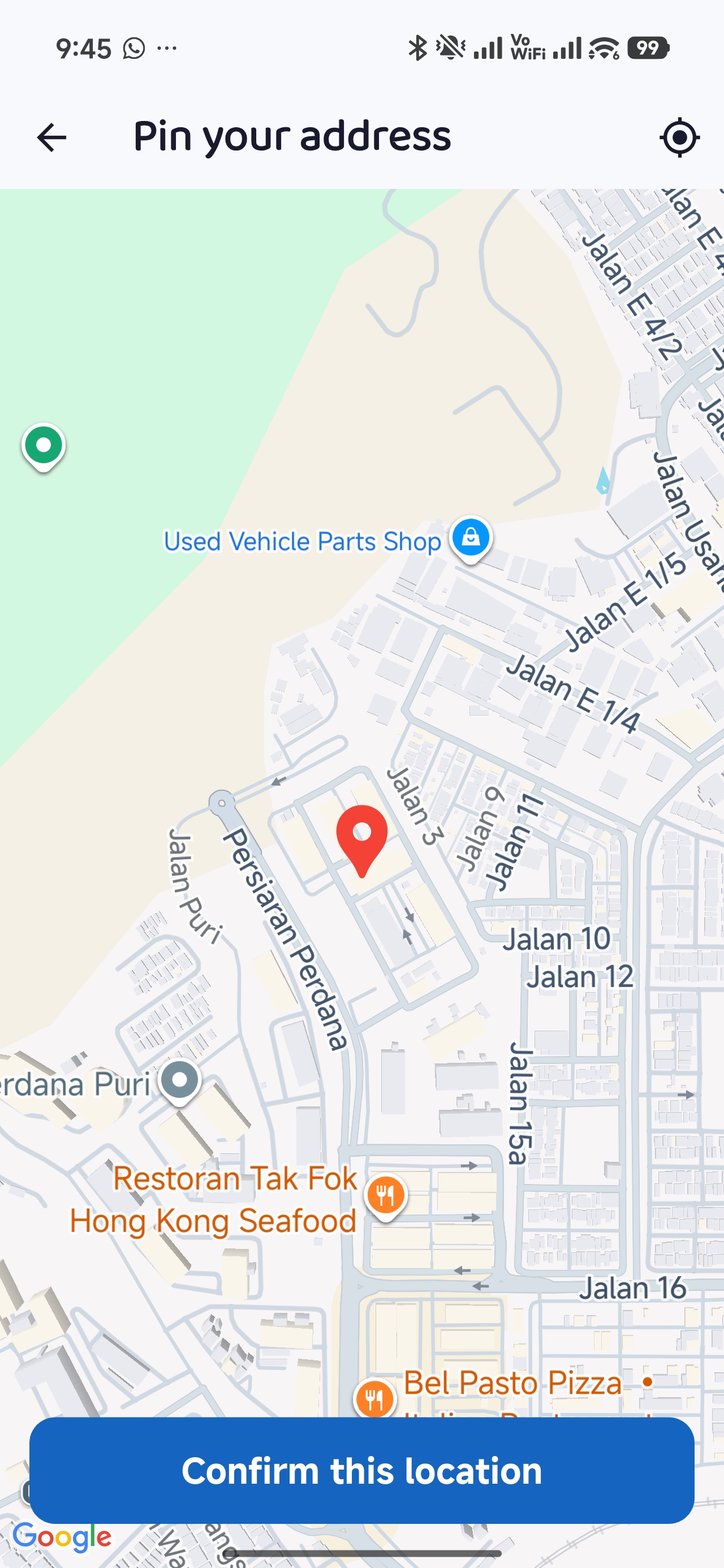 Address & map pin
Not in our service area yet? The app will tell you when you add your address, and you can join the waiting list to be notified as soon as we reach you.
How to subscribe
Wash regularly? A monthly plan gives you a free bag wash with every order.
Subscribe in 5 steps
-
1
Open “Subscription”
Tap the Subscription tab at the bottom of the app (also under Profile → Subscription).
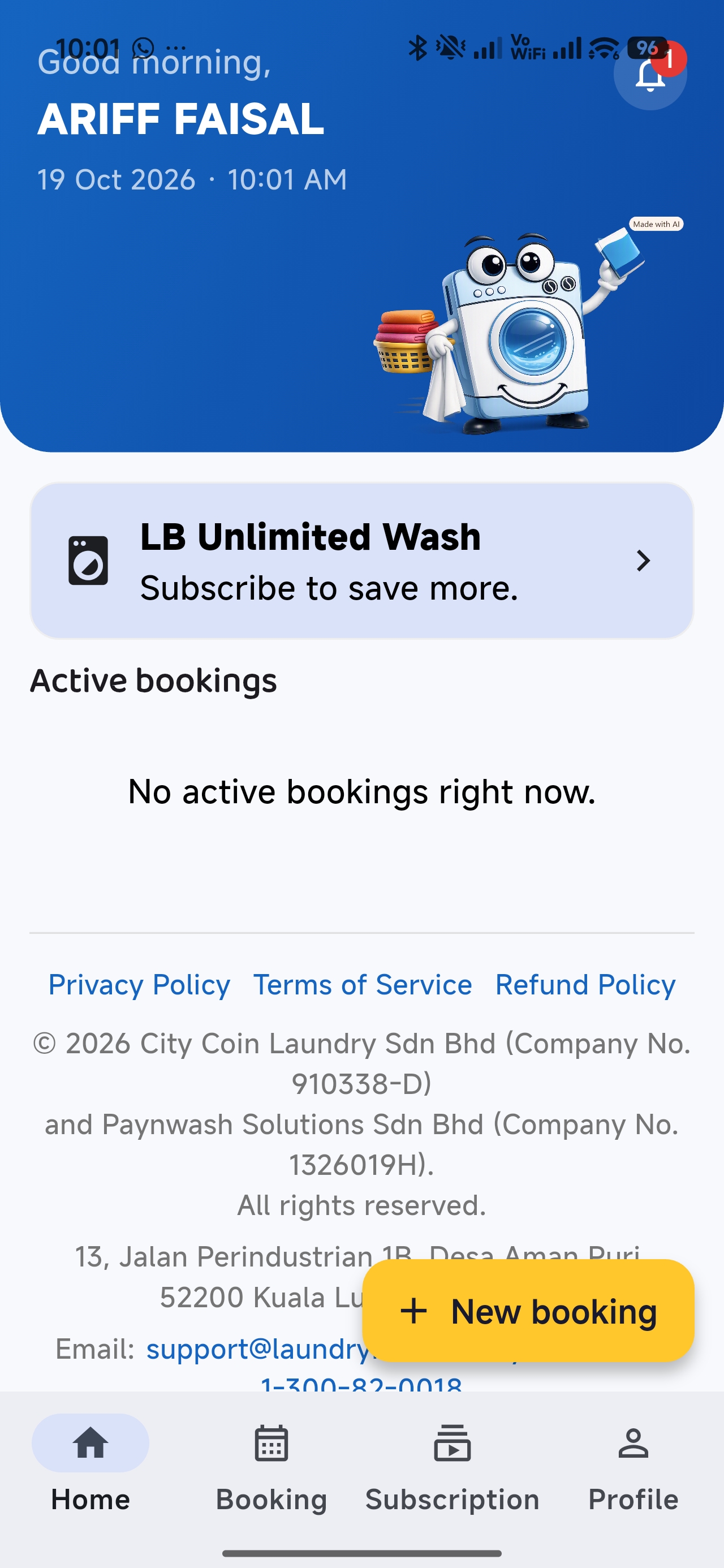 Subscription tab
 -
2
Pick a plan
Compare the plans and their monthly price and order limit, then tap the plan you want.
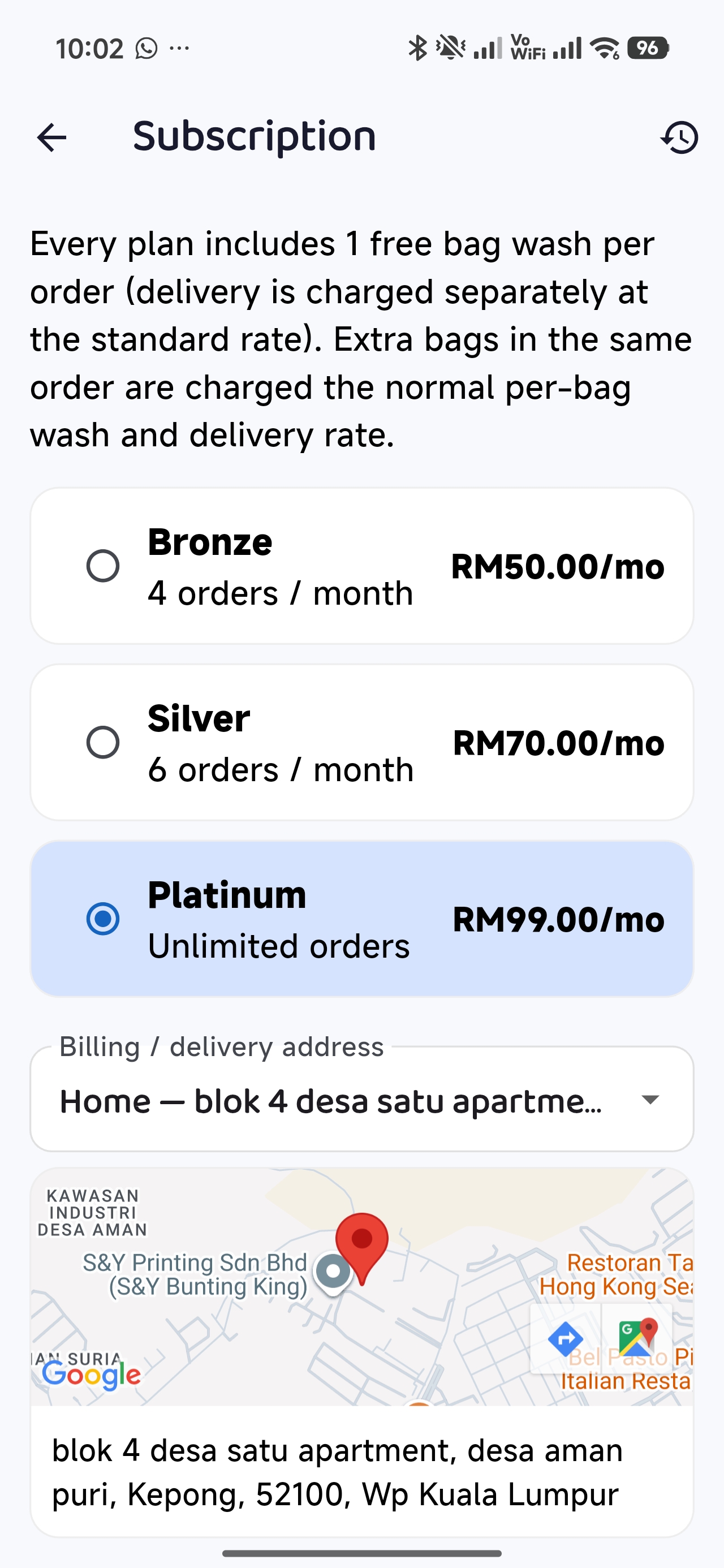 Choose a plan
 -
3
Choose your address
Select the billing / delivery address for your plan, then tap Subscribe.
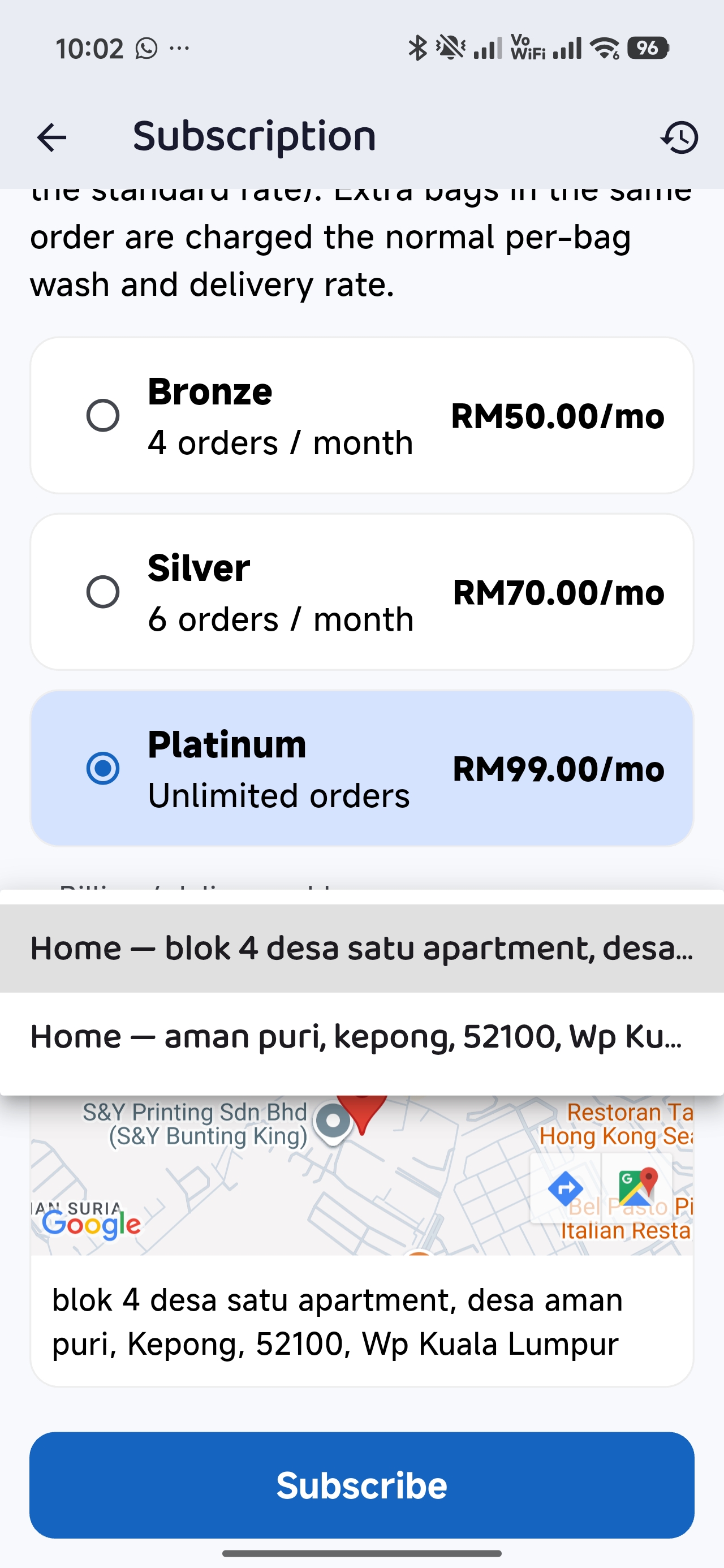 Address → Subscribe
 -
4
Pay by card
Enter your debit or credit card on the secure payment page. Card is required because your plan renews automatically each month.
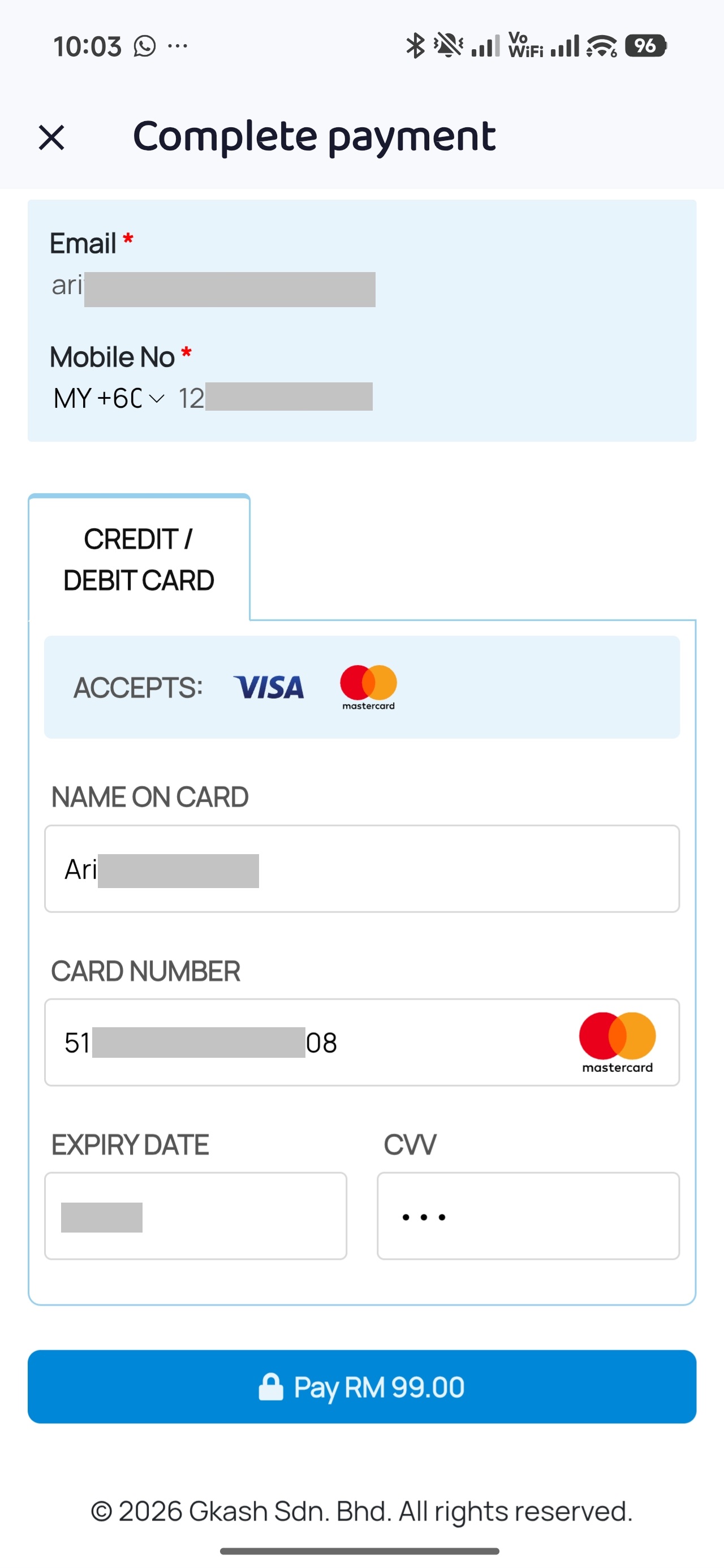 Card payment
 -
5
You're subscribed!
Your current plan and the orders used this cycle now show at the top of the Subscription screen. Just book as usual — your plan is applied automatically.
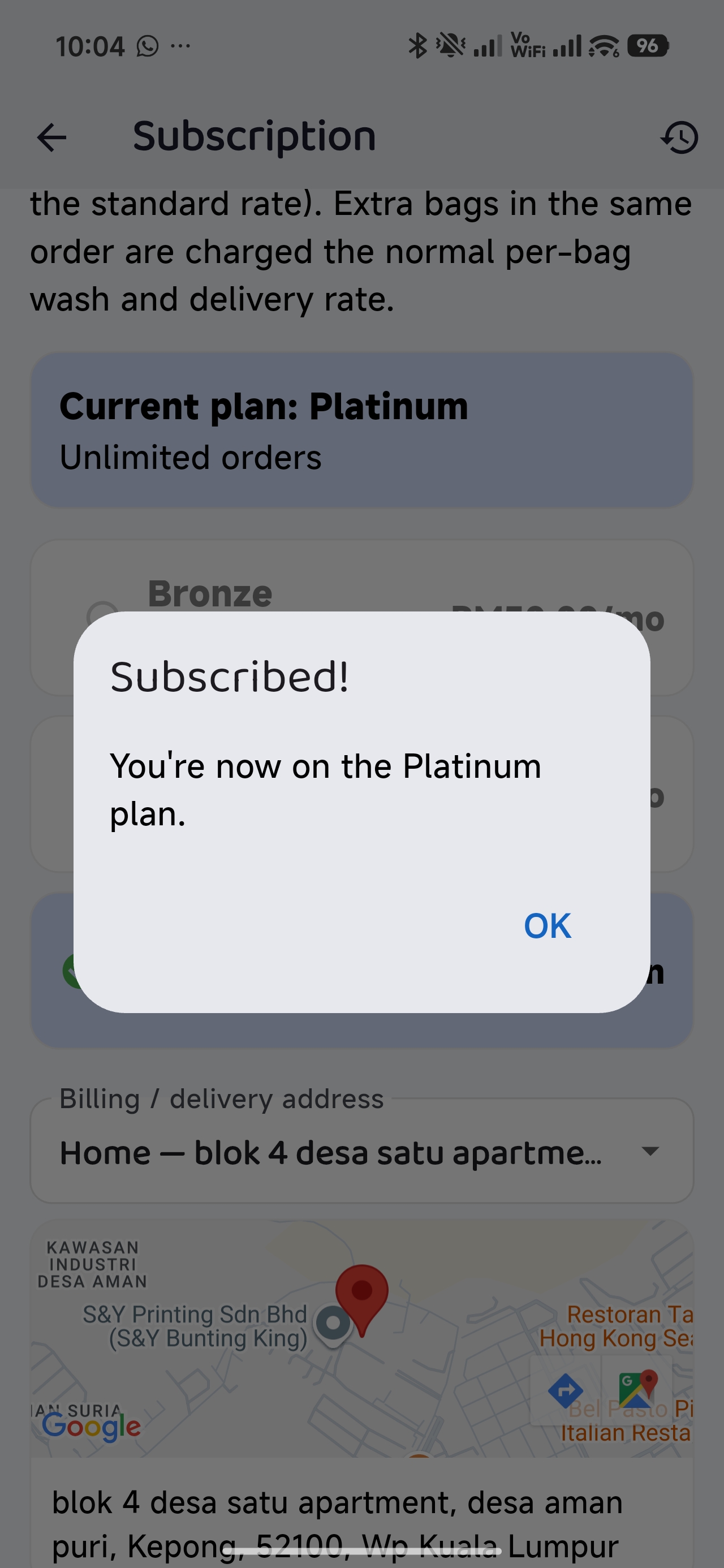 Subscribed
Upgrade anytime: tap a higher plan and pay only the difference. Cancel anytime: tap Cancel subscription — you won't be charged again. For your payment history and receipts, tap the history icon at the top of the Subscription screen.
How to book a laundry pickup
Tell us how many bags, pick a pickup time, pay — and we take care of the rest.
-
1
Tap “New booking”
On the Home screen, tap New booking, then choose Wash & Fold.
 Home → New booking
 -
2
Choose your bags
Select how many bags you're sending. The washing and delivery totals update as you go.
 Bags
Bags -
3
Add extras (optional)
Pick any add-ons, turn on Risk-Free Insurance for extra peace of mind, and enter a voucher code if you have one.
 Add-ons, insurance & voucher
 -
4
Schedule the pickup
Choose your address, pickup date and time window.
 Schedule
 -
5
Add a pickup photo & note
Snap a photo of your bag and tell the rider where it is — e.g. “at the guardhouse”. Then tap Confirm booking.
 Pickup photo & note
 -
6
Pay securely
Pay with online banking (FPX), an e-wallet or a card on the secure payment page. Card details are never stored by us.
 Payment page
 -
7
Track your laundry
Follow every stage in the Booking tab — picked up, washing, out for delivery and delivered. We'll notify you along the way, and your receipt is in the order details.
 Order tracking
Please have your bag ready at the pickup address during the time window you chose. Need to change or cancel? See the Refund & Cancellation Policy or contact us.
Booking dry cleaning
Same easy flow — you just choose your items first, priced per piece.
-
1
Choose “Dry Cleaning”
Tap New booking on Home and pick Dry Cleaning.
 Choose Dry Cleaning
 -
2
Select your items
Add each item and quantity — shirts, suits, dresses and more. The total updates as you add.
 Select items
 -
3
Schedule, confirm & pay
Continue to checkout: add-ons, insurance, voucher, pickup schedule and photo — then Confirm booking and pay, just like Wash & Fold.
 Checkout
Frequently asked
Which payment methods can I use?
For bookings: online banking (FPX), e-wallets and debit/credit cards. For subscriptions: debit/credit card only, because the plan renews automatically each month. All payments go through a licensed payment gateway — we never see or store your full card number.
How do I know where my laundry is?
Open the Booking tab and tap your order to see every stage — pickup, washing, out for delivery and delivered. You'll also get notifications at each step.
What if I'm not home at pickup time?
Leave your bag at a safe spot and add a photo and note when booking (for example, “with the guard” or “outside the door”), so the rider knows exactly where to find it.
Can I change or cancel a booking?
Please see our Refund & Cancellation Policy for the rules on cancellations and refunds, or contact our support team.
How do I cancel my subscription?
Go to Subscription and tap Cancel subscription. Your card won't be charged again.
How do I get help?
In the app, go to Profile → Help & Support to open a ticket. You can also email support@laundrybar.com.my or call our hotline 1-300-82-0018.
Ready for laundry-free days?
Download LB Automaid and book your first pickup today.